Turn documents and spreadsheets into records you can defend.
Connect Lextree to any AI assistant that supports MCP. Hand the assistant a closing binder or an old spreadsheet, and it builds the records. Ask what is due, or ask for the lender's chart.
Your AI assistant knows how you have configured Lextree.
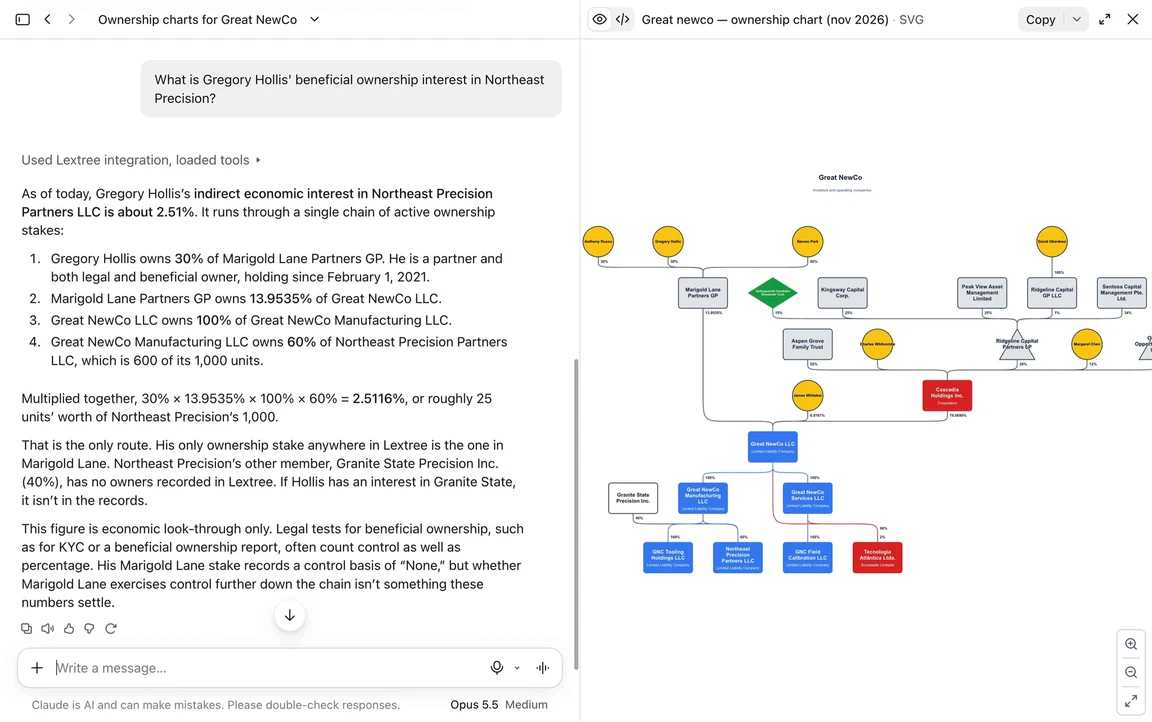
Build the record, question it, and report from it.
A closing binder becomes entities with evidence
Hand it the closing binder. It creates the entity, its registrations, officers, and ownership records in Lextree, then attaches each document to the record it proves. Try: "Set up the new Denver subsidiary from this binder."
A spreadsheet nobody trusts becomes records you can query
Hand it the old entity tracker. It matches the columns to Lextree fields, loads the rows, and flags each row it could not load with the field to fix. A retry never duplicates a record. Try: "Load this tracker and tell me what failed."
What is due, in order
It reads calendar events, open workflows, and due dates across every module you have enabled, then lists what comes first. Try: "What expires in the next 90 days?"
Where your records are thin
It compares your records and names the gaps: entities with no registered agent, registrations with no certificate attached, ownership that does not add up to 100 percent. Where semantic search is enabled, it also finds records and documents by meaning, not by field. Try: "Which entities have no registered agent on file?"
A report, run or written on the spot
It runs a saved report, or writes a new one, and hands you the rows to summarize for the board or turn into a table. Try: "Run our lease report and summarize it for the board."
An ownership chart for the lender
It creates the chart from your ownership records, Lextree draws it, and you get a link that opens it. Later, it can tell you what changed since the chart was last drawn. Try: "Has anything changed since we drew the lender chart?"
What you can ask it to do.
Reading works with any key you issue. Creating records, reports, or charts and launching workflows need a write key.
"Here is the signed lease for our Denver office. Add it to Lextree with the PDF attached."
Reads the lease, creates the lease record and its parties, and attaches the PDF to the lease as evidence.
"This spreadsheet is our old entity tracker. Load every row and tell me which ones failed."
Matches the columns to entity fields, loads the rows, and flags each failed row with the field to fix.
"What are the most urgent matters in Lextree this month?"
Reads calendar events, open workflows, and due dates across your modules, then lists what comes due first.
"Where are the gaps in our compliance tracking, and what should we add?"
Reads your records and the modules you have enabled, then lists what is missing. With a configuration key, which an administrator issues, it can also add the field or template that closes the gap.
"Which lease has the early-termination clause?"
Searches your records and file text by meaning, so a clause worded differently can still surface. Works where semantic search is enabled.
"Run a report of all the IP licenses expiring in the next 90 days."
Runs a saved report, or builds one, with each IP license and its expiration date. The assistant picks out the ones coming due.
"Create an ownership chart for the subsidiary we are financing."
Creates the chart from your ownership records, has Lextree draw it, and gives you a link that opens it in Lextree.
"Start the approved annual-filing workflow for the Delaware entities."
Launches the workflow once per entity, only from a template an administrator has opened to integrations.
Three steps, and nothing to install.
Create a key
An admin creates a key on the Subscription page and chooses its scope: read-only, read and write, or read, write and purge. Configuration access is a separate choice. The key is shown once, so store it when it appears.
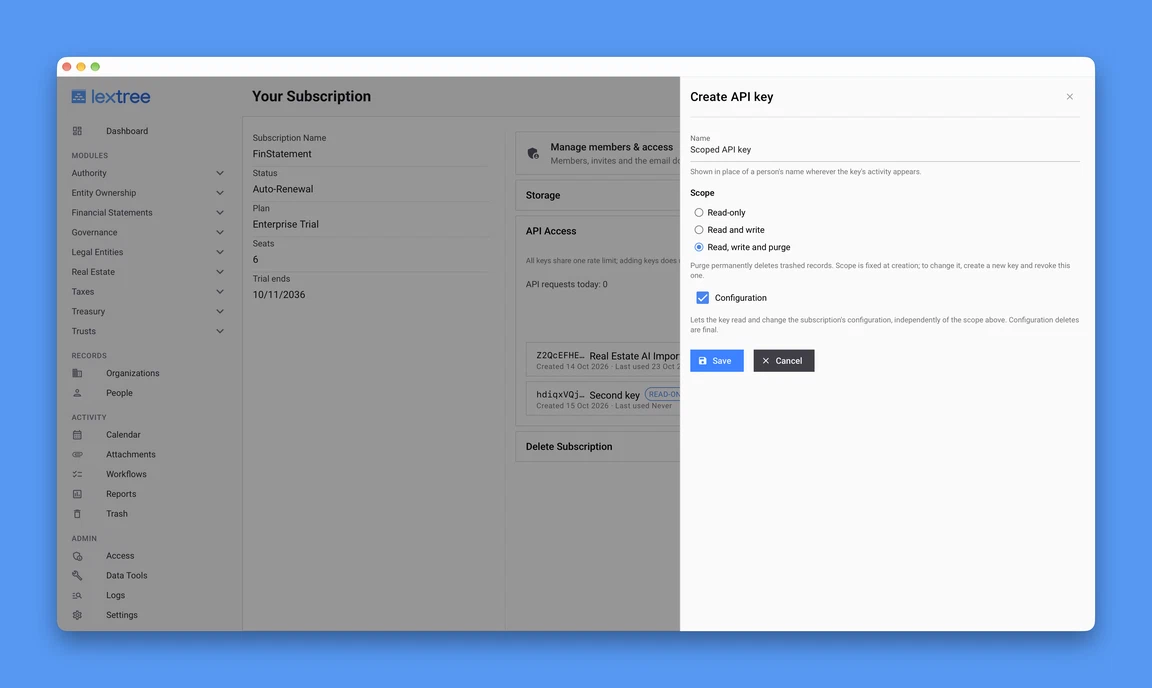
Pick the scope when you create the key. Configuration access is a separate checkbox. Add Lextree to your assistant
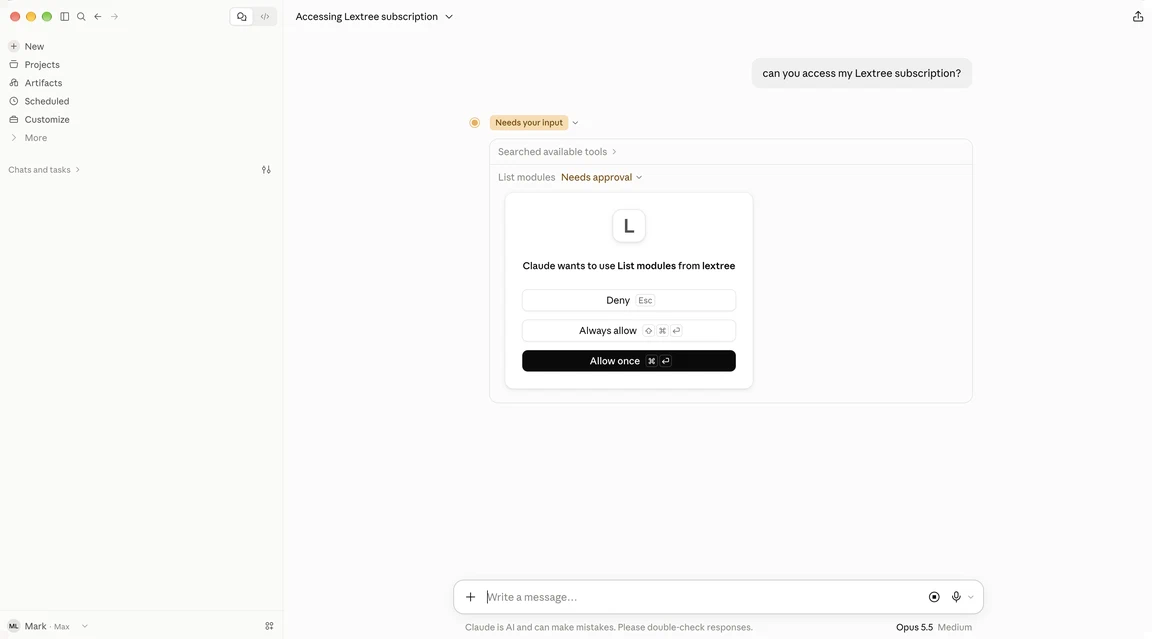
In Claude Desktop, add a custom connector at your Lextree address followed by /mcp, and pick No sign-in instead of the default Sign in now. Then add your key as an Authorization header under Request headers. The Claude Desktop setup guide in the help center shows the exact value. The server is hosted, so there is nothing to install and nothing to run.
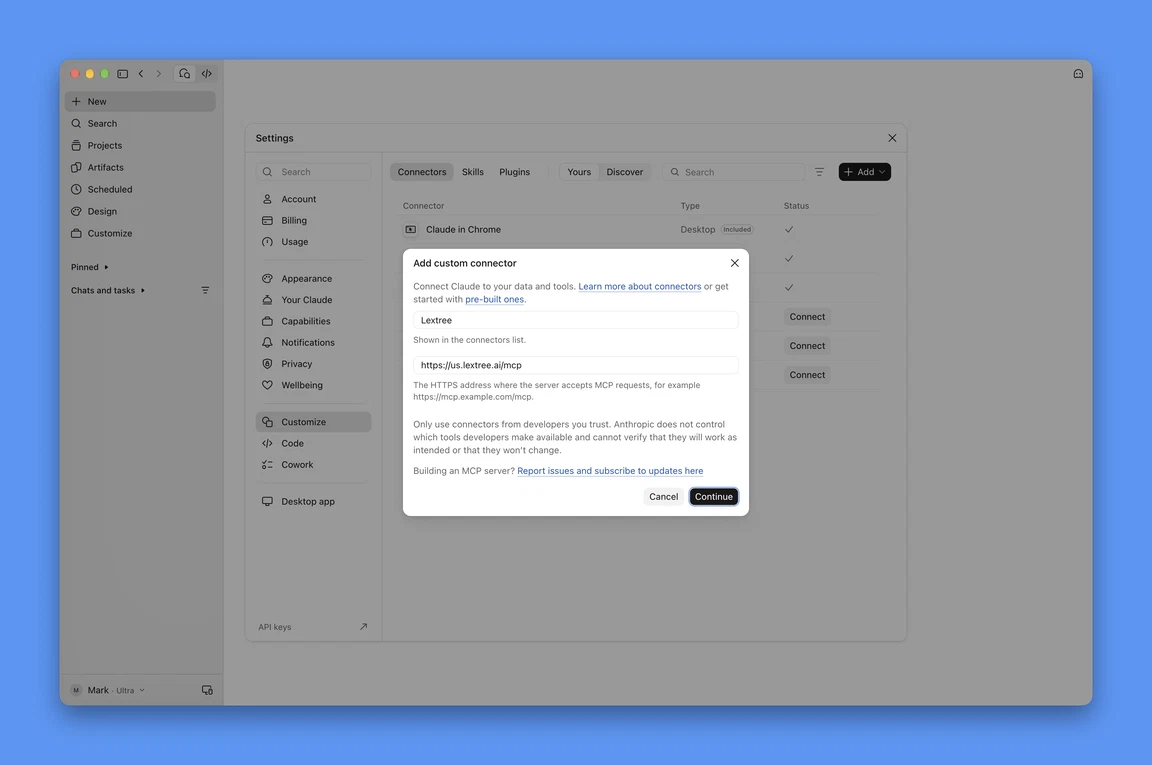
Name the connector and enter your Lextree address, ending in /mcp. Ask
Ask in plain language. The assistant finds its way around your subscription as it goes, so a record type your admin enables tomorrow simply shows up.
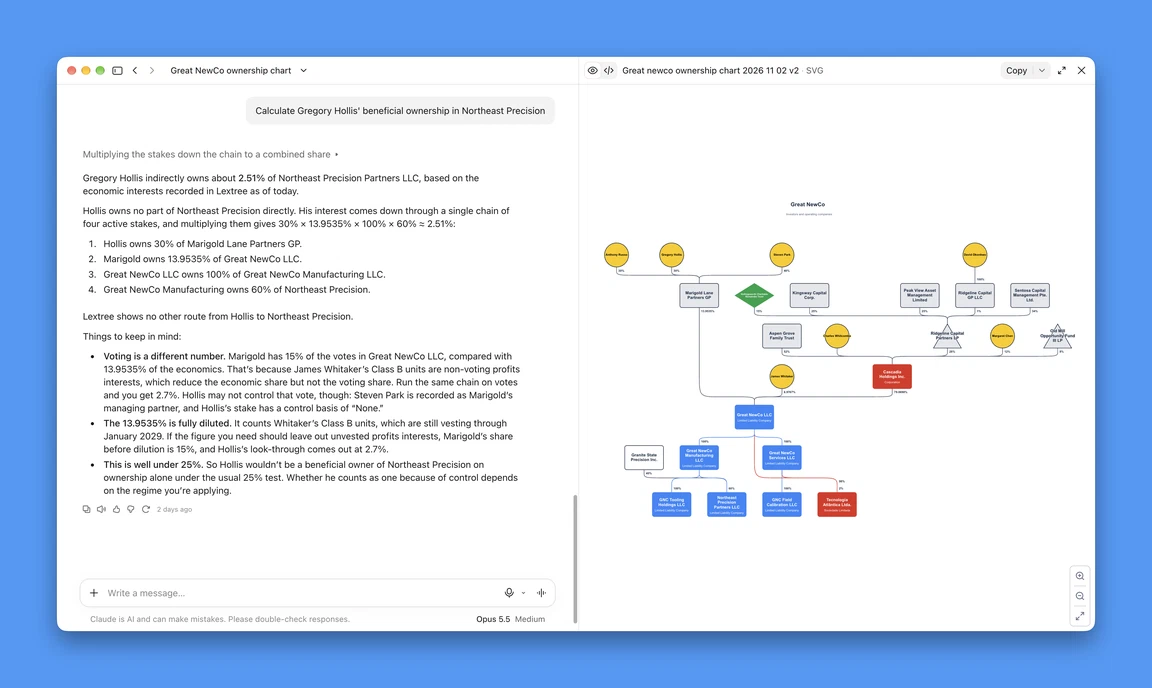
Ask for one owner's beneficial ownership. Claude follows the chain through your ownership records and shows the math.
Under your control.
The assistant works through a key you issue, and it sees and does only what that key allows.
- You set what it can do
- A key is read-only, read and write, or read, write and purge. The scope is fixed when the key is created. To widen or narrow it, create a new key and revoke the old one.
- Destructive steps are flagged
- Every tool is labeled read, write, or destructive. An assistant that honors the labels asks you before it trashes, deletes, or purges anything.
- Every change is traceable
- Each change appears in the audit history as "API key: name", never as a person. To see only these changes, filter the Activity Log to API keys.
- A key reads across every module
- A key belongs to the subscription and carries no access groups or module permissions. An assistant on it reads across every enabled module, so treat a key like an admin account.
- It shares one budget
- Every tool call is an API call, so the assistant shares your subscription's API budget with every other key and cannot exceed it. There is no daily cap.
- You can switch it off
- An admin revokes the key on the Subscription page, and it stops working within 30 seconds.
- Your data stays yours
- Lextree hosts your records and files in the US or EU region you chose. It does not use your data to train, fine-tune, or improve an AI model. Data the assistant takes into a conversation falls under your own arrangements with its provider.
Frequently asked questions.
Which plans include the AI assistant connection?
Which assistants can connect?
How does it connect?
Which modules can it reach?
What can it do with my files?
Can it change data?
What does the audit log show?
Can I turn it off?
Give your assistant the record.
Every trial is a 14-day Enterprise trial, and the AI assistant connection is part of Enterprise. Connect your AI assistant to your own records and ask your first question.