Legal Entity Tracking Spreadsheet Template for Excel
A free legal entity tracking spreadsheet template for Excel — track entities, jurisdictional registrations, and the current agent on file. Sent to your email.
1 Excel workbook · 3 worksheets — free, no credit card.
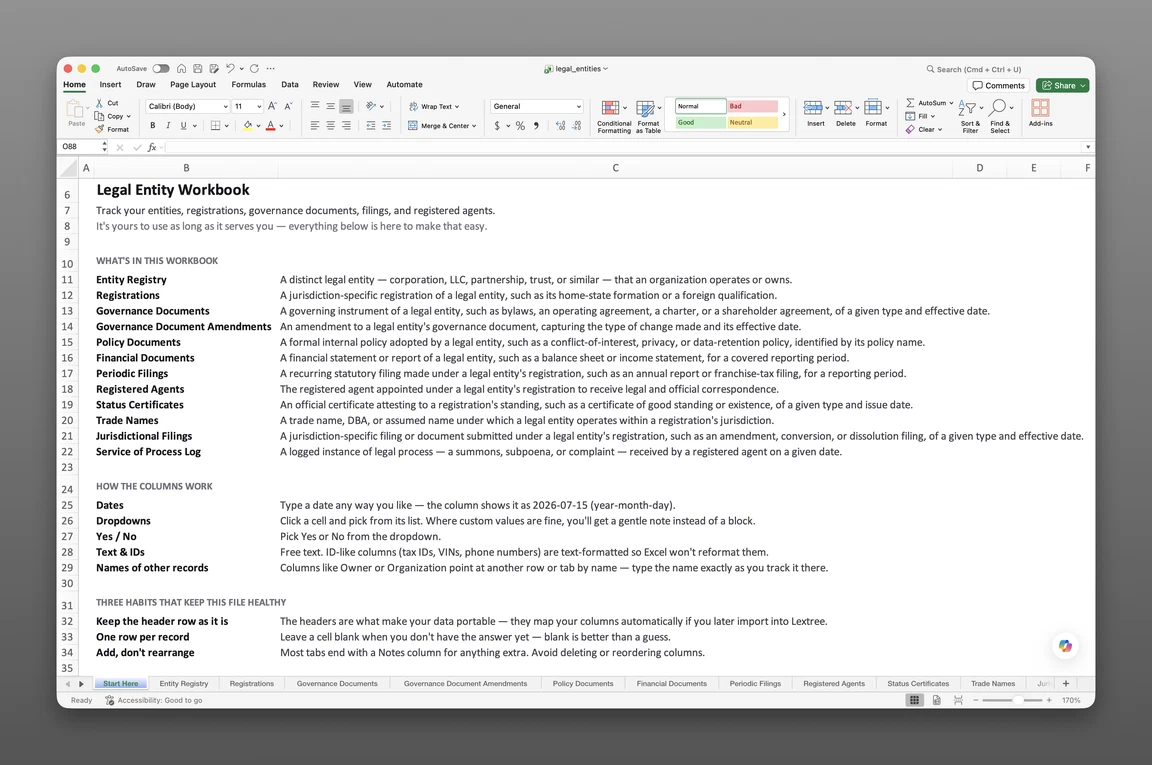
Inside the legal entity tracking template
- Start Here
How the workbook works — column conventions, dropdown lists, and the habit of adding a row instead of overwriting one.
- Entity Registry
One row per entity — jurisdiction country and subdivision, entity legal form, entity role, formation date, tax ID, tax treatment, and fiscal year end.
- Business Registrations
Every jurisdictional registration on its own row — registration type, registration or file number, registry or filing office, current agent since, agent service term ends, and next standing verification date.
Get the template
Enter your email and we’ll send the legal entity tracking template to your inbox. Free — no credit card, no call, no follow-up sequence you didn’t ask for.
- Tracked fields across the two data sheets
- 37
- Pre-built dropdown lists
- 6
- Worksheets, ready to fill in
- 3
What legal entity tracking is
Legal entity tracking is the ongoing record of every company in a corporate family — its jurisdiction, legal form, and every registration that keeps it authorized to do business — kept current in one place instead of scattered across folders and inboxes. A lender’s diligence checklist asks which jurisdictions a subsidiary is registered in and who its current agent is, due before Friday’s closing. This legal entity tracking spreadsheet template for Excel keeps that record ready before the request lands. See why one company needs several registration records for the distinction this template is built around.
The entity record, not just a name
Most legal entity spreadsheets stop at a single list: entity name, jurisdiction, formation date. This template keeps that record but adds the entity role — is this a holding company, an operating company, a special purpose vehicle — plus tax treatment, tax residence, and fiscal year end, all on the same row.
That structure answers what a bare name list can’t. Is this entity a pass-through for tax purposes or taxed as a corporation? When does its fiscal year close, and does its Legal Entity Identifier need renewing before then?
Why flat lists go stale
A flat entity list holds one row per company, so it can only hold one jurisdiction. A holding company registered to do business in four extra states has nowhere to put the other three registrations.
This tracker keys every registration to its entity on a separate sheet instead. A new foreign qualification becomes a new row, so a subsidiary’s full registration history survives instead of getting squeezed into one cell. The same holds for an agent change or a status update — the old row stays, and the new one sits beside it via its own status entry.
Inside the Excel workbook
This legal entity tracking spreadsheet template ships as one Excel workbook, three sheets deep. A Start Here tab leads, followed by two data sheets — one for the entities themselves, one for every registration those entities hold. Together they hold 37 tracked fields, organized behind 6 dropdown lists, and the workbook opens in Google Sheets as well as Excel.
- Start Here — column conventions and the habit of adding a row instead of overwriting one
- Entity Registry — 19 fields
- Business Registrations — 18 fields
| Sheet | What it tracks |
|---|---|
| Entity Registry | Jurisdiction, entity legal form, entity role, formation date, tax ID, tax treatment |
| Business Registrations | Registration type, registry or filing office, current agent, next standing verification |
The Entity Registry
Entity Registry — 19 fields — holds jurisdiction country and subdivision, entity legal form, and formation date for every company in the family. Entity role sorts each one as an Operating company, Holding company, Intermediate holding company, Special purpose vehicle, Joint venture, Fund, General partner or manager, Finance or treasury company, Shared services company, Property-holding company, IP-holding company, or Shelf company.
Tax ID, tax residence, and tax treatment — Taxed as a corporation, Fiscally transparent (pass-through), Disregarded for tax purposes, or Tax-exempt — sit on the same row, alongside a fiscal year-end month and a Legal Entity Identifier with its own renewal date. If an entity winds down, Liquidation commenced on, Ceased on, and a Cessation reason (Dissolved, Struck off, Merged out, or Transferred to another jurisdiction) close out the row without deleting it.
Business Registrations, jurisdiction by jurisdiction
Business Registrations — 18 fields — is where a corporate records spreadsheet template usually runs out of room. Registration type covers Formation, Foreign qualification, Branch, and Representative or liaison office. Each registration also carries its own registration or file number, registry or filing office, name in local language, local tax or VAT number, and registered office address.
A subsidiary formed in Delaware and foreign-qualified in California, Texas, and New York shows up as one Entity Registry row. It also gets four Business Registrations rows — one per jurisdiction.
Every registration also carries a Status: Event, Status: Date, and Status: Description — a lightweight status timeline that logs Filed, Reinstated, Not in good standing, Suspended, Revoked or struck off, Withdrawn, Dissolved, or Merged or transferred out against the date it happened, instead of overwriting the field that says what’s current.
Filings, agents, and standing
These fields hold what a flat entity list omits — not a full filing calendar, but the pieces that answer who’s the agent and when to check standing again, without a separate sheet for either. See how to track each state’s annual report separately from each year’s filing record.
The current agent, on the row that needs it
Current agent since and Agent service term ends sit directly on each Business Registrations row, next to the registration they cover. There’s no separate agent roster to cross-reference — the agent serving a given registration, and since when, is right there.
That’s a narrower promise than a full agent-change history: this sheet holds the current agent per registration, not a log of every prior one. A registration that changes agents twice in three years is a fact for legal entity management software built to keep that history, not for this workbook.
Next standing verification
Next standing verification is the field most template farms skip: a date to check again, not just a date already checked. It sits on every Business Registrations row, so a jurisdiction that hasn’t been verified in eighteen months is a filter away, not a memory.
Registration date marks when the registration itself was made — the anchor a due-diligence reviewer asks for first.
Built for multiple entities
Every sheet in this entity management spreadsheet template keys back to the entity that owns the row, not just the workbook as a whole. A holding company and its subsidiaries share one file instead of one spreadsheet apiece. A subsidiary tracking spreadsheet template stops meaning a dozen copies of the same tab.
A due-diligence request filters by entity and jurisdiction rather than opening a dozen files to answer one question. After a deal closes, that same filter becomes a subsidiary records checklist after an acquisition, confirming what came in with the new entities before it’s added to the shared file. Paralegals, corporate secretaries, corporate counsel, and compliance officers at multi-entity, multi-state organizations feel this gap first. A single-entity tracker assumes one company throughout — this one doesn’t.
That same filter separates one subsidiary’s registrations from the rest of the family during an entity management review. The sheets that don’t apply stay untouched.
When a spreadsheet stops working
This tracker covers a long list of entities and jurisdictions before it runs into real edges. There’s no version history, so an overwritten registration row loses its past. With more than one person editing the workbook, nothing controls who can see which entity’s records, and nothing fires a reminder on its own.
None of that matters for a six-subsidiary registration check on a lender’s checklist — that’s a lookup, not a build. It starts to matter once entities and jurisdictions outgrow what one person can track in a shared file, or once the family needs the governance documents, filing calendars, and status certificates this template used to carry. Those now live in Lextree’s Legal Entities module, alongside dedicated taxes and licenses and permits tracking.
This template’s column headers match Lextree’s import templates, so it loads directly into legal entity management software — no re-keying, no remapping. From there, standing verification dates and agent terms drive reminders instead of waiting for someone to open the sheet.
Frequently asked questions
What is a legal entity tracking spreadsheet? The ongoing record of every company in a corporate family — jurisdiction, legal form, registrations, and the agent currently on file — kept current in one place instead of scattered across folders and inboxes.
Is this for tracking legal cases or legal entities? Legal entities — the companies in a corporate family, their jurisdictions, and their registrations. This template has nothing to do with litigation, case management, or legal matters, so it won’t help if you’re tracking lawsuits.
What should a legal entity tracker include? At minimum: entity name, jurisdiction, legal form, and formation date. A complete tracker also logs every registration by jurisdiction, its filing office and registration number, the current agent on file, and the date it’s next due for a standing check.
What’s the difference between an entity list and an entity tracker? A list holds one row per entity and goes stale the moment a second registration or a new agent shows up. A tracker keys every registration back to the entity that holds it, so the current picture and its full registration history both survive.
How is this different from a basic entity management spreadsheet? A basic entity management spreadsheet keeps one row per entity, so it holds a single jurisdiction and a single agent. This workbook keys every registration to its entity on its own sheet instead, so a subsidiary registered in five states shows up as five rows, not one crowded cell.
Who is this template for? Paralegals, corporate secretaries, corporate counsel, and compliance officers, particularly at multi-entity, multi-state organizations. A single-entity tracker assumes one company throughout; this template is built for a corporate family with entities registered across several jurisdictions.
Can I track subsidiaries and multiple entities in one file? Yes. Every sheet keys back to the entity on its own field, so a holding company and its subsidiaries share one workbook instead of one spreadsheet apiece.
How do I track foreign qualifications and other jurisdictional registrations in Excel? Log each one as its own row in Business Registrations, with registration type, registry or filing office, and registration or file number. A subsidiary formed in Delaware and foreign-qualified in three more states gets one Entity Registry row and four Business Registrations rows — one per jurisdiction.
Can I track registered agents and good-standing dates? Yes, for the current picture. Business Registrations carries the agent on file for each registration — current agent since and agent service term ends — plus a next standing verification date for every jurisdiction. It’s the agent currently serving, not a history of every prior one.
Does it track trade names, DBAs, and service of process? No. This workbook narrowed to entity records and jurisdictional registrations, so trade names, DBAs, and a service-of-process log aren’t part of it. Lextree’s legal entity management module tracks both, with an unlimited history, if you outgrow the spreadsheet.
Is this a cap table? Does it track ownership? No. This template has no equity, units, or ownership-percentage fields — it tracks entity administration, not who owns what. A cap table is a different job entirely.
Is this entity management software? No. This is a static workbook — there’s no reminder engine, no access control, and no audit trail of who changed what. Lextree’s legal entity management software picks up where the spreadsheet stops, with the same fields already structured to import.
Is the template really free, and does it work in Google Sheets? Yes. Enter your email below and the workbook is sent to your inbox — no credit card, no sales call. It opens in Google Sheets as well as Excel, dropdowns included.
The tracker is free. Take it.
Two data sheets, already built — just add your entities and registrations.