Lextree / Presentations

Enterprise Entity Management

Introduction to the enterprise edition of Lextree for entity management

For Lawyers, paralegals, comliance officers, and finance professionals working with many legal entities in the enterprise

What you’ll take away

  • Understand how Lextree manages legal entities
  • Learn about platform features like workflow and compliance calendar
  • See the scope of security and access control options

Lextree

Enterprise Entity Management

Legal entity ownership, governance, and compliance in one place.

agenda

What matters for enterprise entity management

  1. Entity management: ownership, governance, and compliance.
  2. Collaboration platform: compliance calendar, attachments, workflows, timelines, and reports
  3. Configuration: custom fields and data types
  4. Advanced features: semantic search and MCP
  5. Security and access: controls and audits
Explore legal entities

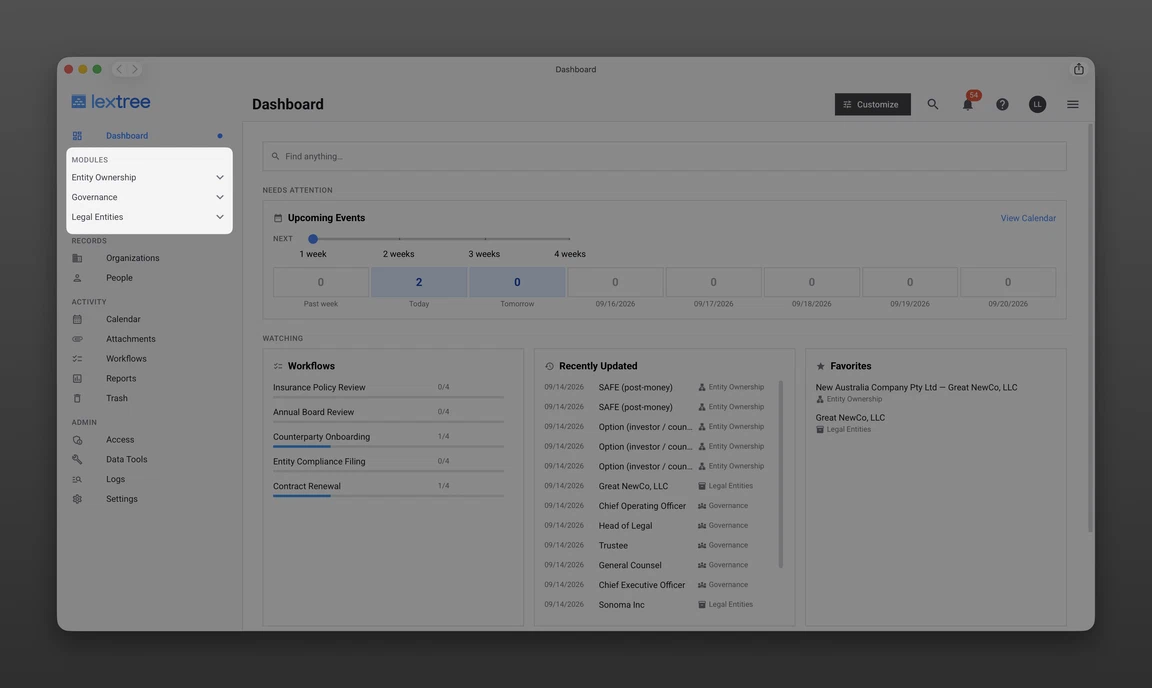
Entity management

All data, documents, and deadlines in one place

  1. Ownership
  2. Governance
  3. Compliance

Primary entity management modules

Collaboration

FeatureHow it supports collaboration
Compliance calendarConnect deadlines and reminders to records so teams can coordinate upcoming obligations.
AttachmentsKeep documents and supporting evidence with each record so everyone has the context they need.
WorkflowsCoordinate multistep processes with assigned tasks, due dates, and a shared activity history.
TimelinesShow record status over time so teams can understand what was active or valid at any point.
ReportsUse standard or custom reports to give teams a consistent view of compliance information for review and decisions.

Configuration

Start quickly, fit easily

Rich default data

  • Every data set built with decades of expertise
  • Import your data
  • Predefined timeline events
  • Workflow templates
  • Compliance events automatically suggested
  • Configured reports

Full customization

  • Add, edit or delete default custom fields
  • Create new sections of data
  • Implement new timeline events
  • Auto suggest workflows or calendar events
  • Author custom reports

Artificial intelligence

Find what you need when you need it

  1. Semantic search: Local AI powered data and documents search (local to Lextree)
  2. API: Application programming interface for extracting data
  3. MCP: Model Context Protocol to chat with your data

Security and access

Control your data

Security

  • Encryption at rest and in transit
  • Secure backups
  • OWASP Top 10
  • One-time email login codes
  • Domain allow list
  • Social login option
  • SSO (paid add on)

Access

  • Module level access controls and privleges
  • Special roles for admins, reporters, and guests
  • Groups
  • Record control (Enterprise plan only)

Image preview

Slides

    Public notes

    Take this with you

    Keyboard shortcuts

    ← / →, Page Up / Down
    Previous / next slide
    Space / Shift+Space
    Next / previous slide
    Home / End
    First / last slide
    O
    Slide contents
    T
    Auto / light / dark theme
    F
    Fullscreen
    N
    Public notes
    ?
    Keyboard shortcuts
    Esc
    Close a panel
    Ctrl / ⌘ + P
    Print all slides

    Slide shortcuts and swipes work in Present mode. Read mode scrolls normally. Double-click a screenshot or use its Enlarge button to open an image preview. Use Export to copy a slide link, copy for an LLM, save a PDF, or download HTML or JSON.

    Search