Policy Adoption Matrix Across Subsidiaries: Versions, Adoption Dates and Approving Actions
The Matrix in Long Form
A policy adoption matrix across subsidiaries records which organizations in a group adopted each version of a policy, on what date, by what action, and where the record of that action is kept. Each row pairs one organization with one policy version, so the same rows read by organization or by policy.
Subsidiary policy adoption is often announced in a group-wide email and recorded unevenly from one organization to the next. Compliance programs modeled on U.S. Sentencing Guidelines §8B2.1 start from its first element, §8B2.1(b)(1), a sentence most compliance managers know: “The organization shall establish standards and procedures to prevent and detect criminal conduct.” In a group, writing the standard is the easy part. The matrix records which organizations took up each version of it, and by what action.
Owners and review dates belong in one register for every policy’s status and review dates. The matrix keeps to versions and adoptions.
Each Cell Becomes a Row
The familiar picture is a grid, with policies down the side, subsidiaries across the top, and a tick or a date in each cell. A cell holds one value, and an adoption needs several: the version, the dates, the action taken, who approved it and where the record sits.
The long form gives each organization and policy version a separate row. Filter the rows to one organization and you have its column of the grid. Filter to one policy and you have its row. Sorting works as well: order the rows by adopted date to see how a version reached the group, or filter Supporting action to Management approval to see which adoptions rest on delegated authority.
When someone asks for the grid itself, a pivot table built from these rows rebuilds it: policies down the side, organizations across the top, and the latest adopted date in each cell. The version and the action stay on the rows behind each date. Add Version adopted beside Policy name in the pivot to see which version each date belongs to.
The Adopting Organization Column
This column holds a legal entity, or a business unit where a group adopts policies at that level. For an entity, use the full legal name, spelled as it is in your entity records, so a filter on the name finds every row. That consistency is what lets the matrix show policy adoption by legal entity: one name, written one way, on every row.
The Criminal Division of the U.S. Department of Justice publishes an Evaluation of Corporate Compliance Programs (updated September 2024). A related question appears among its questions on periodic review: “What steps has the company taken to determine whether policies/procedures/practices make sense for particular business segments/subsidiaries?” The matrix does not record those steps. It shows where each version was taken up, organization by organization.
The Version List Comes First
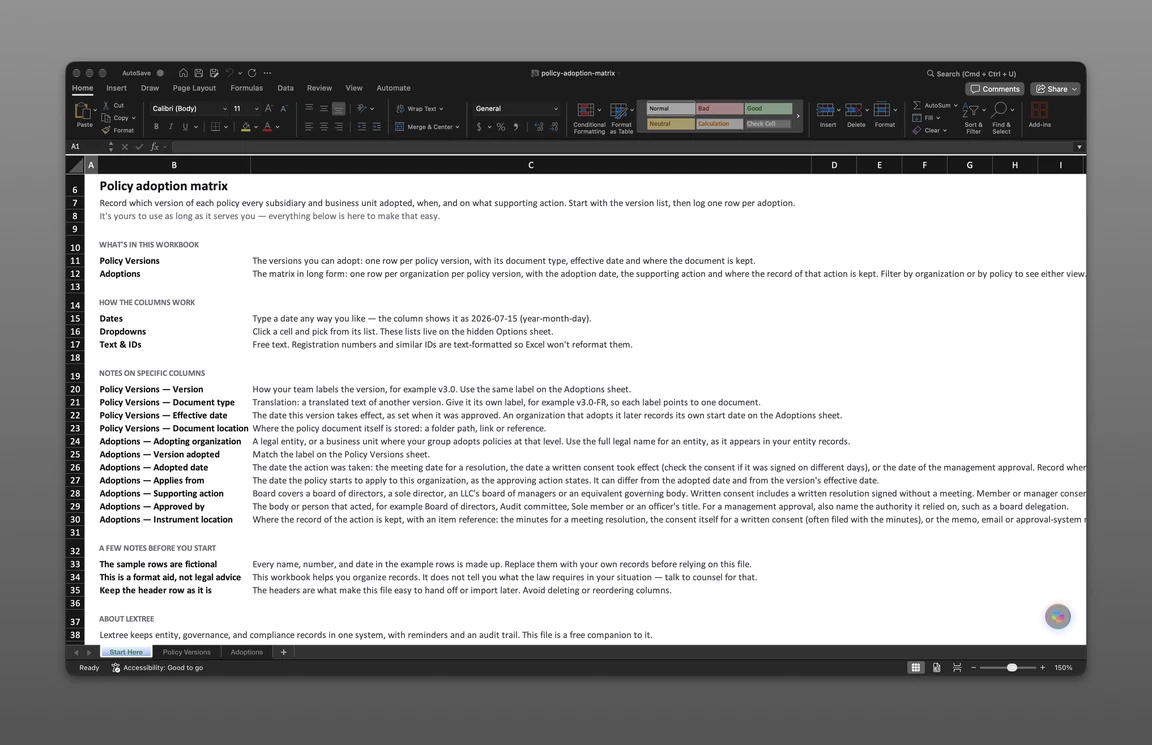
The file has two sheets. Policy Versions holds one row per policy version, with its document type, effective date and where the document is kept. Adoptions holds one row per organization per policy version, with the adopted date, the supporting action and where the record of that action is kept; filter it by organization or by policy.
Use the same version label on both sheets. A translation gets its own label, for example v3.0-FR, so each label points to one document. The same Department of Justice document asks, “If the company has foreign subsidiaries, are there linguistic or other barriers to foreign employees’ access?” When a subsidiary adopts the French text, its Adoptions row names v3.0-FR, so the record shows which language version each organization adopted. It does not show whether employees can reach that text. Keep Document location current when a policy moves libraries, because that column is the only pointer from a version to its text.
Sample rows from the version list:
| Policy name | Version | Document type | Effective date |
|---|---|---|---|
| Sample Code of Conduct | v3.0 | Restatement | 2026-01-15 |
| Sample Code of Conduct | v3.1 | Amendment | 2026-06-01 |
| Sample Records Retention Policy | v1.0 | Original policy | 2026-03-01 |
The form below emails you the file.
Get the policy adoption matrix
Enter your email and we’ll send the policy adoption matrix to your inbox. Free — no credit card, no call, no follow-up sequence you didn’t ask for.
Reading the Matrix by Organization
The policy adoption matrix example below uses the file’s sample rows. Filter the Adoptions rows to Sample Holdings Inc. and you see everything that organization has adopted. The names, dates and item numbers are illustrative and not legal advice.
| Policy name | Version adopted | Adopted date | Applies from | Supporting action | Instrument location |
|---|---|---|---|---|---|
| Sample Code of Conduct | v3.0 | 2026-01-10 | 2026-01-15 | Board meeting resolution | Sample Holdings minute book, item SAMPLE-0000001 |
| Sample Records Retention Policy | v1.0 | 2026-02-25 | 2026-03-01 | Committee meeting resolution | Sample Holdings audit committee minutes, item SAMPLE-0000004 |
| Sample Code of Conduct | v3.1 | 2026-05-12 | 2026-06-01 | Board meeting resolution | Sample Holdings minute book, item SAMPLE-0000005 |
Sorted by adopted date, the Holdings rows give the sequence: Code of Conduct v3.0 in January, Records Retention v1.0 in February, and the v3.1 amendment in May.
Three Dates, Kept Apart
The effective date sits on the version list and is the date the version takes effect, as set when it was approved; an organization that adopts it later records its own start date in Applies from. The adopted date is the date the action was taken: the meeting date for a resolution, the date a written consent took effect, or the date of a management approval. Applies from is the date the policy starts to apply to that organization, as the approving action states.
The Holdings rows show the first two apart. The board approved v3.0 on 2026-01-10, five days before the version’s 2026-01-15 effective date. Sample Manufacturing LLC, whose row appears in the by-policy view below, shows all three apart: it adopted v3.0 on 2026-02-04, and the policy applies to it from 2026-03-01.
The adopted date is the date of the approving action; acknowledgment evidence stays in the HR system or LMS. Because every row keeps its dates, the matrix supports a past-date lookup.
Minutes With Item References
Instrument location is where the record of the action is kept, with an item reference. For a meeting resolution that is the minutes. For a written consent it is the consent itself, often filed with the minutes. For a management approval it is the memo, email or approval-system record.
The version list has a Document location column too, and it points somewhere else: to the policy text. Two columns keep two questions apart, what the policy says and what authorized its adoption. Write the item reference the way the minute book numbers its entries, so someone opening it years later goes straight to the page. A location that says only “minute book” sends the reader looking. The Holdings rows above show two items in the Sample Holdings minute book and one in its audit committee minutes.
One resolution can adopt several policies at once, as a subsidiary board often does with a set of group-wide policies. Give each policy version its own row and repeat the item reference on each, so a search for that reference returns every policy the resolution covered.
Reading the Matrix by Policy
Filter the same rows to Sample Code of Conduct and the view turns around: the table lists every organization that adopted the policy and which version it adopted.
| Adopting organization | Version adopted | Adopted date | Applies from | Supporting action | Approved by |
|---|---|---|---|---|---|
| Sample Holdings Inc. | v3.0 | 2026-01-10 | 2026-01-15 | Board meeting resolution | Board of directors |
| Sample Manufacturing LLC | v3.0 | 2026-02-04 | 2026-03-01 | Member or manager consent | Sole member (Sample Holdings Inc.) |
| Sample Holdings Inc. | v3.1 | 2026-05-12 | 2026-06-01 | Board meeting resolution | Board of directors |
| Sample Services Division | v3.1 | 2026-06-20 | 2026-07-01 | Management approval | Division president, under delegated authority |
Adopting an amendment adds a version row and new adoption rows, and v3.1 is that case here. Sample Manufacturing LLC has a v3.0 row and no v3.1 row, so the matrix shows no adoption of the amendment there.
Supporting Action and Approver
Supporting action takes one of these values:
- Board meeting resolution
- Board written consent
- Committee meeting resolution
- Committee written consent
- Member or manager consent
- Management approval
- Other (describe the action in Notes)
Board covers a board of directors, a sole director, an LLC’s board of managers or an equivalent governing body. Written consent includes a written resolution signed without a meeting. Committee covers a board committee, such as an audit committee, acting within the authority the board or the committee’s charter gives it. Member or manager consent covers an LLC acting through its members or managers without a board. Management approval covers an officer or executive approving under delegated authority, or approving for a business unit. Approved by names the body or person that acted, and for a management approval it names the authority relied on, such as a board delegation, and which organization’s board granted it. Which body may act for an organization depends on its governing documents and applicable law, so confirm the path with counsel.
A parent that files annual reports on Form 10-K will recognize the code-of-ethics line in Regulation S-K Item 406(a). It asks the registrant to “[d]isclose whether the registrant has adopted a code of ethics that applies to the registrant’s principal executive officer, principal financial officer, principal accounting officer or controller, or persons performing similar functions.” Item 406 is a disclosure item about the registrant’s own code for its senior officers; it does not ask which subsidiaries adopted it. The other Sample Code of Conduct rows show which other organizations adopted the code, and how.
The Division’s Own Row
Sample Services Division adopted v3.1 by management approval. The division president approved it under delegated authority, the record sits in the division’s approvals folder (item SAMPLE-0000003), and the Notes read “Business unit of Sample Holdings Inc.; adopted at business unit level.”
A division, in the sense used here, is part of a legal entity rather than a separate one, so it appears in the matrix only where the group adopts policies at that level. Name the division as the group names it, and say in Notes which legal entity it belongs to, as the sample row does, so the row can be traced back to an entity. Policy adoption across business units then reads like any other row: an organization, a version, a date, an action and a record.
Subsidiary Boards and Group-Wide Policies
Group-wide policy adoption by subsidiaries raises two questions that come up when a multi-entity group reviews its policies. The answers below describe the record, and neither is legal advice.
Do Parent Policies Apply Automatically?
It depends on the subsidiary’s governing documents, applicable law and the policy’s own terms. A policy’s scope statement may name the company and its subsidiaries, and a subsidiary may have taken up group-wide policies by a standing resolution that covers later amendments; that wording matters alongside whatever the subsidiary’s own documents say. Confirm the position with counsel before treating a parent’s approval as a subsidiary’s.
A policy adoption matrix across subsidiaries records what each organization actually did. The parent’s own approval sits on the parent’s row, and a subsidiary has a row of its own once it takes a step of its own. Where the parent acts inside a subsidiary’s governance, as Sample Holdings Inc. does when it gives Sample Manufacturing LLC’s sole-member consent, that action goes on the subsidiary’s row.
Must the Subsidiary Board Act?
The same three sources decide this one: the subsidiary’s governing documents, applicable law and the policy’s own terms. Groups use different paths: a subsidiary board resolution or written consent, a member or manager consent for an LLC, or a management approval under delegated authority. Counsel can confirm which path fits each subsidiary.
Supporting action and Approved by record which path was used. Sample Manufacturing LLC’s row is the example: its sole member consented to v3.0 on 2026-02-04, and the instrument sits in the company’s own record book.
Where Lextree Keeps Each Adoption
In the Policies module in Lextree, each policy carries its adoptions, one per adopting organization, with the Adopting organization, the Adopted date and Notes. Versions sit on the policy as Policy Documents, each with a Document type (Original policy, Amendment, Restatement or Translation), an Effective date and a Document name such as “v3.0”.
Adoption is recorded per policy rather than per version. The version adopted and the supporting action go in Notes, or in custom fields your team adds, since seeded values are defaults and can be changed. The Applies from date and the Approved by name fit the same way.
The approval instrument itself stays where the adopting organization keeps it: the minute book or record book for a resolution or consent, or the approval record for a management approval. In Governance, a board or committee resolution or consent can carry the Subject category “Policy adoption”, so the resolutions and consents that adopted policies can be found by category.
Lextree Editorial
Author